
Step 1
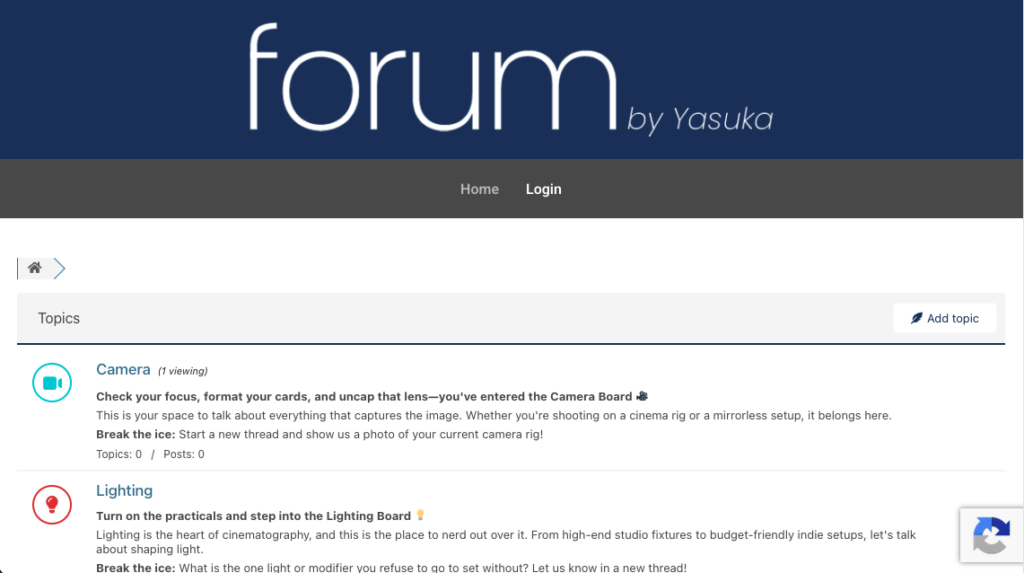
Upon landing on the forum’s homepage (or any other sub-page) you will find a Login option on the top. Click on that.
Step 2
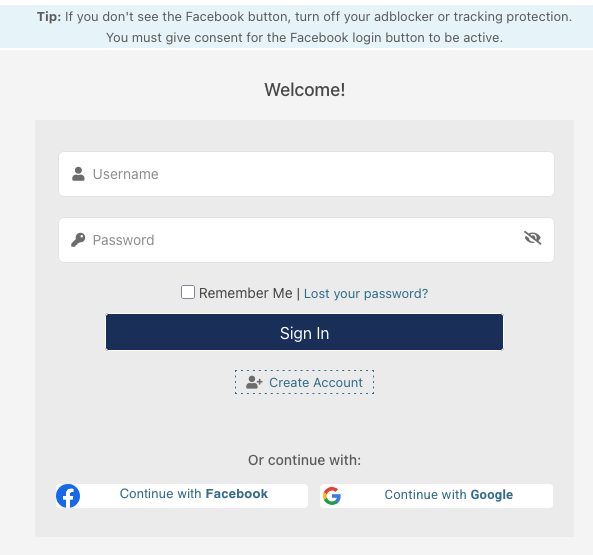
Upon click the Login button, you will be taken to the Login page. For existing user, you can simply enter your account details viz., Username or Email address associated with your account and the respective password.
For those registering for the first time, you have to click on Create Account.
We have also incorporated login or signing up with Facebook and Google for easy registration.
Step 3
If you have signed up with your email address, you should have received an email from the official email address forum@yasuka.in. The email contains a URL for setting up your account password. Please make sure you complete this under 30 minutes.
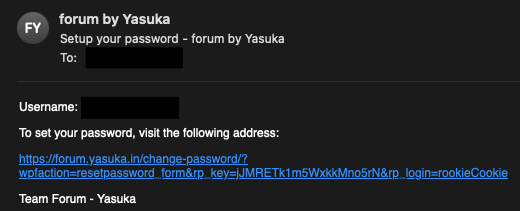
In case the email was not received, kindly check your Spam box or write to use.
For those who have made use of Facebook or Google for account creation, kindly follow the steps from that respective platform.
Extra
The entire forum is safeguarded by reCAPTCHA from Google. This enables in ensuring that suspicious activity and spamming bots are not kept away.
To make sure this works correctly, we request for you to accept the functional Cookies.
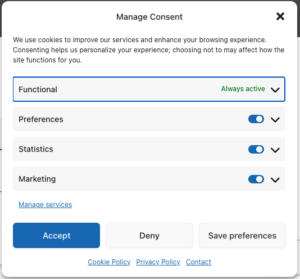
For more information, kindly navigate to our Cookie Policy for India and outside of India.